




Shipping will start within 2 working days.

Keychron M5 Wireless Ergonomic Mouse

SKU: M5-A23
$69.99

Color
Sensor
Switch


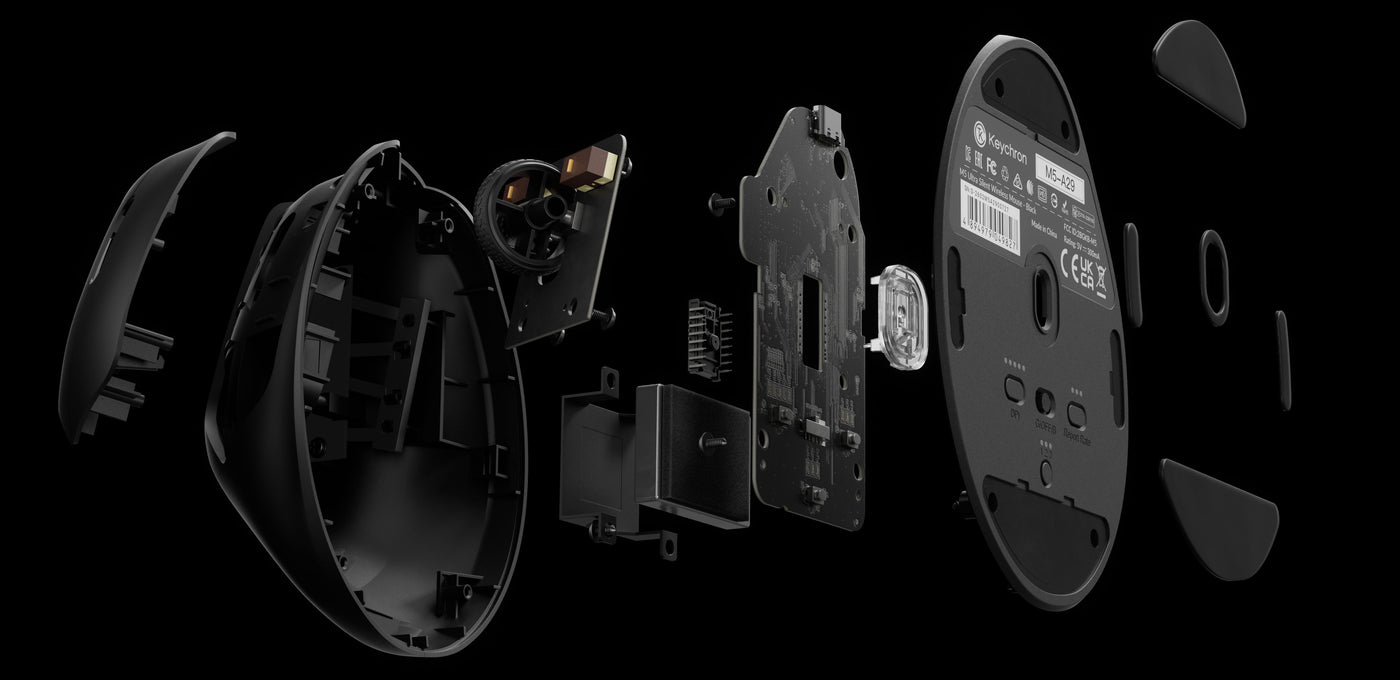
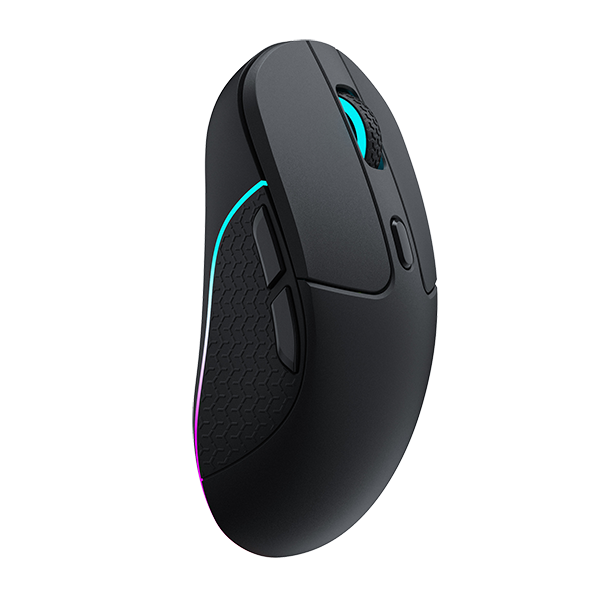
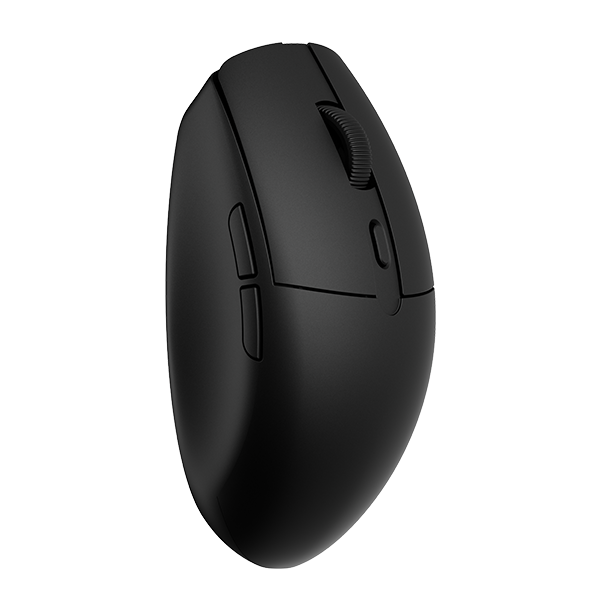
Keychron M5 Wireless Ergonomic Mouse has the best PixArt 3950 sensor. It supports 2.4 GHz, Bluetooth, and a USB wired connection.

Please drop your email on "Notify Me When Available" if the product model is out of stock.

No discount codes can be used for M5.
$69.99

Keychron M5

Wireless Ergonomic Mouse

M5-8K-7.jpg__PID:77626d4c-de2a-41f6-990d-db9c8724f1d5

Keychron M5 packs all the best features in its super ergonomic vertical design. It supports both 2.4 GHz wireless and Bluetooth connection, ideal for any scenario, whether at work, gaming, or on the go, and offers ultimate performance to maximize productivity! 

M5-8K-2.jpg__PID:f90c51ec-ed77-426d-8cde-2af1f6590ddb
features-of-the-Keychron-M5-wireless-mouse.jpg__PID:a4244de6-77db-4734-9879-eedafcd0df67
M5-8K-6.jpg__PID:ed77626d-4cde-4af1-b659-0ddb9c8724f1

The Strongest Mouse Sensor

SensorDPI (CPI)IPSPolling Rate
PAW 3950Up to 30,0007508K

The top-tier optical sensor delivers flawless sensitivity and pinpoint precision, ensuring seamless response to every hand movement for ultimate control in gaming scenarios or professional tasks.

M5-8K-3.jpg__PID:0c51eced-7762-4d4c-9e2a-f1f6590ddb9c

8000 Hz Polling Rate

Setting the mouse at a 8000 Hz polling rate can result in a high-speed signal transmittance between the mouse and the connected device. More responsive cursor movements captured with faster trigger response guarantees unparalleled performance, securing your triumph when it truly counts!

Better Performance with 10x Latency Advantage over Industry Norms

keychron-M5-Ergonomic-Mouse-Latency-Performance.jpg__PID:d0ff1b81-b5e0-425c-b636-be31d644bea9

Featuring an 8K polling rate, the M5 ergonomic mouse achieves a latency of just 0.93ms in 2.4 GHz mode—over ten times faster than other flagship ergonomic mice. This sets a new standard for responsiveness in comfort-focused gaming and productivity.

*The performance data is sourced from the third-party testing website LTT Labs.

More Customization on The Keychron Launcher

Just click, save, and turn it off, the online Launcher web app allows for easy personalization. You can modify keys, set shortcuts, create dedicated macros, or do professional settings for LOD, polling rate, DPI, etc. Besides, it provides 5 on-board memory profiles for your access to different apps or computers.

customize-the-M5-8K-with-launcher.jpg__PID:373a6401-b062-4ff4-a2af-63bb0122d879

* Please use the latest version of Chrome / Opera / Edge browser to open the Launcher and connect the mouse to your device via wired mode or 2.4G mode.

Anytime, Anywhere Access

Keychron Launcher is a web page configurator that you can use in the office, school, lab, or government department—anywhere with internet access. Configure your mouse online anytime without the need to download or install files. No hassle, no trouble.

Keychron Launcher.png__PID:5e7fb1e1-3dfb-4d5f-8fda-fb09b8e629ef

Compatible with All Platforms

As a web-based tool, Keychron Launcher supports all operating systems.  Personalize and program your mouse on Windows, macOS, Linux, and more. Enjoy unprecedented flexibility with compatibility across Chrome, Edge, and Opera browser.

Cross Platformed.png__PID:0f91a18c-e936-41e5-b67d-41e4b06cefbe

Always Up to Date

Keychron Launcher is continuously updated, ensuring you always have access to the latest version. There's no need to download updates or wait for installations.

Always Updated.png__PID:9bb87650-e2ee-4dc5-9797-63d4094b2b00

Stable & Ultra-low Latency Response

2.4 GHz and Bluetooth 

With cutting-edge 2.4 GHz frequency wireless connectivity, the M5 gives you extremely low latency and quick response for gaming and the office. It also offers a stable 5.3 Bluetooth connection for even more variety in your wireless connectivity.

3 connectivity of M7
M5-8K-5.jpg__PID:eced7762-6d4c-4e2a-b1f6-590ddb9c8724
M5-8K-1.jpg__PID:eff90c51-eced-4762-ad4c-de2af1f6590d

Peak Performance For Every Scenario

Precise sensors, extremely low latency wireless connectivity, and high polling rate give you the best performance for both office , gaming or even on the go.

47° Vertical Angle for Optimal Wrist Comfort

The ergonomic design of M5, especially its unique 47° vertical angle alleviates wrist strain, featuring a smooth curve throughout the body and a thumb rest on the side, which conforms more closely to the contour of your palm, ensuring a comfortable grip over extended periods. It promotes a natural handshake position for all-day comfort.

47degree-vertical-angle-of-M5-8K.png__PID:35d75d6f-c2b3-481c-8c4f-593d6679505e

Switch Polling Rate

Press the Report Rate button to switch among 6 levels of polling rate from 125 Hz to 8000 Hz in the 2.4 GHz / Wired mode.

Switch Polling Rate on the M3 V2 mouse.jpeg__PID:7a22e33c-264f-4866-b71e-0a5d9e4ea40c

8K Wireless Receiver

The M5 8K comes with an included 8K wireless receiver.

M5-8K-Receiver.jpg__PID:ff4ed096-2beb-434c-b526-193ea6a153e9

Connectivity for Different Receivers in 2.4 GHz Wireless Mode

Connect-the-M5-8K-with-Type-A-port-laptops.jpg__PID:f4d68192-22c1-41f7-a274-1e540b609ac9
Connect-the-M5-with-device-via-the-extension-adapter.jpg__PID:1e540b60-9ac9-4ab8-bb76-1409e9905f0c

Up To 140 Hours

Equipped with a large 600 mAh battery , the M5 provides a long continuous working time of up to 140 hours in Bluetooth mode and up to 120 hours in 1K Polling Rate mode

600 mAh battery capacity of the M5 mouse

Huano 80M Micro
Switch

Huano 80M micro switch
deliver clean clicks feeling, and the lifespan is up to 80 million clicks

Huano 80M Micro Switch

Adjust Without Software

Quick swap 3 Bluetooth devices through the bottom button for a seamless workflow experience. You can also adjust DPI and polling rates without software installation demand

DPI-and-report-button-of-the-M5-mouse.jpg__PID:bfc49caf-8652-40cb-9a41-4605c0e5c6f8

Thumb Wheel

The thumb scroll wheel, conveniently located on the side, also serves as a horizontal scroller, providing an effortless way to breeze through wide spreadsheets in Excel or to scrub through video clips

Side-roller-of-the-M5-8k-mouse.jpg__PID:140a5891-7c8e-4e9d-819b-b88159188ad5

What's In The Box

Package-list-of-Keychron-M5-8K-wireless-mouse-1.jpg__PID:7d5c55f4-43e8-47b7-8b80-4d264fd0d76c
dimension-of-the-Keychron-M5-wireless-mouse.jpg__PID:1142745d-8537-4bc6-8897-763d448f47a6

Specs

SensorPixArt 3950Motion SyncSupport
DPI (CPI) Range100 - 30000Angle SnappingOn / Off
IPS750Acceleration50g
Polling RateMax 8000 Hz (2.4GHz / Wired mode)
Max 125 Hz (Bluetooth mode)
Click SwitchHuano Micro Switch
MCURealtek 8762G Weight95 ± 3 g
Lift Off Distance0.7 mm / 1.0 mm / 2.0 mmBattery600 mAh
Tracks on glass (min. 4 mm thickness)Yes (max 1KHz report rate)CableDetachable Type-C to Type-C Cable +Type-A to Type-C adapter
Bluetooth Version5.3Mouse FeetTeflon / PTFE
ConnectivityBluetooth / 2.4 GHz / Wired (Type-C cable)Material (Body and Grip)ABS
System SupportWindows & macOSClick Switch Lifespan80 Million Clicks

Learn more about Keychron M5, such as customizing buttons, firmware flashing, and others.

Click here to compare with more Keychron mice.

Customer Reviews

Based on 17 reviews
35%
(6)
29%
(5)
12%
(2)
12%
(2)
12%
(2)
A
Anonymous
exceptional price point, but there is room to improve ;)

I am currently seeking a new ergonomic gaming mouse of high quality. I was pleasantly surprised to see Keychron again entering the market with such a robust hardware configuration for a gaming mouse. I intend to use it regularly, although the clicking mechanism can be somewhat disruptive. I am considering modifying the clicking hardware myself due to its exceptional price point—below €70—especially when compared to competitors such as Logitech, which seem less innovative.

If you are contemplating considering the detailed, professional, and objective feedback provided in this review (https://youtu.be/eqhtplq3-Dg?si=YcEI9SoQSvEl00II&t=997) for future iterations, I would be very interested in purchasing the next generation of this mouse, which I believe could be a leading product in the market. The only addition I would make is, that they did not mention the DPI-rate witch is much higher than other models in this category.

A
Anonymous
One of the best (4.5 out of 5)

I've been suffering from carpal tunnel syndrome in my right wrist for at least the past 15 years. I've tried many mice (small, big, normal, gaming, ergonomic, vertical, ..., you name it). Any mouse would trigger the pain unless it is a vertical mouse shaped like this one. I've been using Logitech's MX Vertical but they are insisting on using a rubbery substance that turns into a disgusting gel after few months use. I've been looking for a heavy duty wired vertical mouse, that doesn't use that rubbery substance.

Keychron's M5 mouse has been great so far. A mouse made of nice material, no more wrist pains, no more skipping mouse pointer every now and then because of wireless interference (I'm using it in wired mode), a web app for changing mouse settings which works on Linux, and the settings are stored on board! I don't know how long the buttons will last though. Usually left button is the first to go.

I love this mouse so far but believe it could be improved further. I wish the buttons were less noisy, the mouse was a bit heavier (it is as light as a feather now) and it came in multiple sizes. While this one is great I appreciate a slightly larger size.

Well done Keychron and thanks!

N
Nik
Almost perfect

I own both a Logitech MX Vertical and a Lift, and size-wise, the Keychron sits perfectly in between them. The only downside is the scroll wheel. Please consider updating it to a metal, speed-adaptive scroll wheel with automatic shifting between two scrolling modes.

A
Aux
Deeply Unsatisfying

Note: I usually fit into men's medium gloves/hand size charts. This context might impact part of the review.

I solely bought this mouse for the two reasons: 1) its vertical 2) its one of the only vertical mice with a polling rate over 250 HZ (srsly most ergo mice have dookie sensors). Those two reasons, combined with Keychrons driver "software" actually make this a decent product. However I cannot stand the overall ergonomics, and the grip/lack of resistance.

So ergonomics aren't just wrist position, but also hand/finger position. There is absolutely no comfortable way to grip this damn mouse. Part of that is just the material/coating itself, but I'll elaborate on that later. Either I pocket the mouse deep into my palm, and I'm overshooting the scroll wheel, or I don't pocket it deep and I can't reach the front side button. This is extremely irritating, and I can't even fix it by using a claw grip because then I'm STILL overshooting the scroll wheel and creating other grip issues. On top of that, the mouse button to body ratio is also bad. Unlike the mouse I was previously using, the Logitech g603, there is NO WHERE for you ring finger and pinky to rest. You have two options: cram them on the bottom "shelf" of the mouse, or claw grip. The left and right mouse buttons are too wide for a vertical layout with how small the shelf is. They made them wider, because I guess other ergo mice do that, but vertical mice don't have the same layout as other ergo mice. Other ergo mice have an actual "side-car" shelf for your fingers. Here, you're just left to contend with whatever meager space and hope you can maintain grip/comfort and not accidentally click the right mouse button with your ring finger. What makes this so damn frustrating is that the dimensions for all the buttons/placement, or finger shelf, are literally millimeters away from being perfect. Instead, you get generic vertical mouse layout. Thanks...

Now the grip issues I have are going to be highly subjective. I will credit Keychron for somehow designing the WORST ABS/top coat combo for a mouse possible. Its actually impressive, because it literally feels both slippery and grippy at the same time, which really does not help at all. It LOOKS fine, but after a while, its really not providing enough grip with the vertical angle. One of my other grip issues is due to the weight. I hate lightweight mice, so I inflicted this upon myself. However, if the mouse is light, you'd think that you'd have enough weight to provide grip via resistance, but you also don't have that. There just isn't enough grip and resistance to this mouse for it being vertical. It feels like you need to SQUEEZE it, otherwise you might throw it across your desk if you move too fast. The increase height and angle of the wrist position really needs something more to work with when it comes to vertical mice. You can't just have a light vertical mouse, and offer no real good way to grip after you changed its center of gravity and position. It just feels bad.

Overall, you should only buy this if you want a vertical mouse and a sensor thats good. Almost all other vertical mice have sensors that aren't even hitting 4k DPI, and usually get locked at 250 HZ for the polling rate, meaning you really can only use them for "office" tasks and that's rather limiting for no good reason. Briefly looking at Keychron's other mice, there seems to be a trend of poorly laid out, symmetrical buttoned mice that offer odd finger placement and don't seem to even have right/left hand slopping. This kinda makes sense as to why this mouse is unsatisfying. They just took some basic mouse, and went "but what if vertical" and then we got this thing. I don't like this thing that much, and I've kept it too long to return it, so now I'm trying to commit it I guess. I will definitely not be buying another Keychron product. I just want a mouse thats comfortable to grip, and doesn't feel cramped like a travel mouse, and not so light where the vertical grip will turn it into a projectile.

P
Pavel V.
The worst mouse I've ever tried.

This mouse promises hand comfort but causes tension. It's slippery. To move it, you must adjust your grip. Horizontal scrolling is useless. You can't scroll without tension. It should be easy like vertical scrolling. The buttons click loudly. For $70, quiet buttons should be standard. Cheap plastic. Don't buy it. Try the M5. I use the M3A1.

Shipping Policy

Learn More

Return Policy

Learn More

1 Year Warranty

Learn More

Help Centre

Learn More
Keychron M5 Iconic Features
M series

Keychron M5 Wireless Ergonomic Mouse

From $49.99

Keychron M5 Wireless Ergonomic Mouse has the best PixArt 3950 sensor. It supports 2.4 GHz, Bluetooth, and a USB wired connection.

Please drop your email on "Notify Me When Available" if the product model is out of stock.

No discount codes can be used for M5.

Color

  • Black
  • White

Sensor

  • PixArt 3950 (8K Polling Rate)
  • PixArt 3311 (1K Polling Rate)

Switch

  • Clicky Micro Switch
  • All Silent Micro Switch
View product