





















































Keychron B39 Wireless Keyboard
Keychron B39 Wireless Keyboard - Deep Black is backordered and will ship as soon as it is back in stock.

Keychron B39 Wireless Keyboard - Deep Black is backordered and will ship as soon as it is back in stock.

KEYCHRON B39
The B39 is a 96% Alice ergonomic wireless keyboard designed for comfortable, long-hour office use. Featuring quiet scissor switches, customizable M1–M5 macro keys, and tri-mode connectivity, it keeps your typing experience smooth and your workspace clutter-free.
Essence


Designed specifically for all-day comfort
Alice Ergonomic Layout
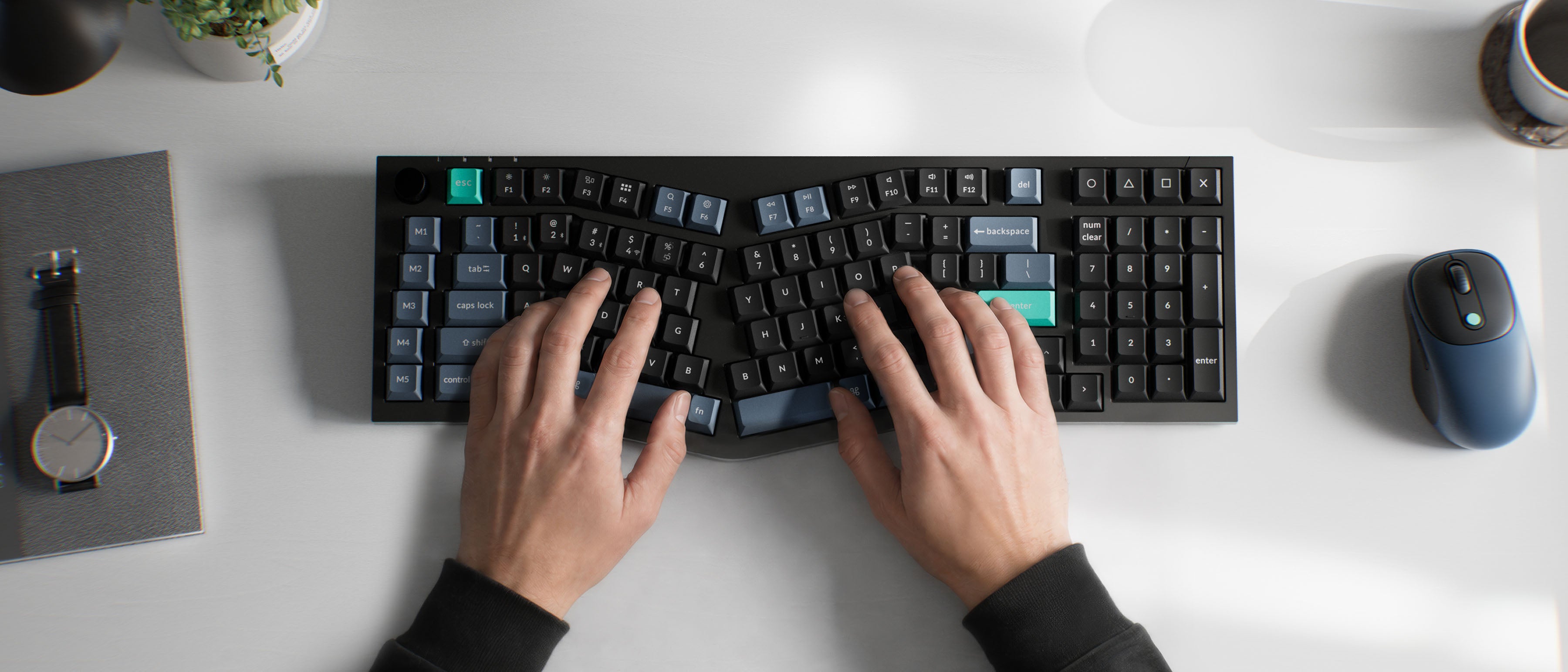
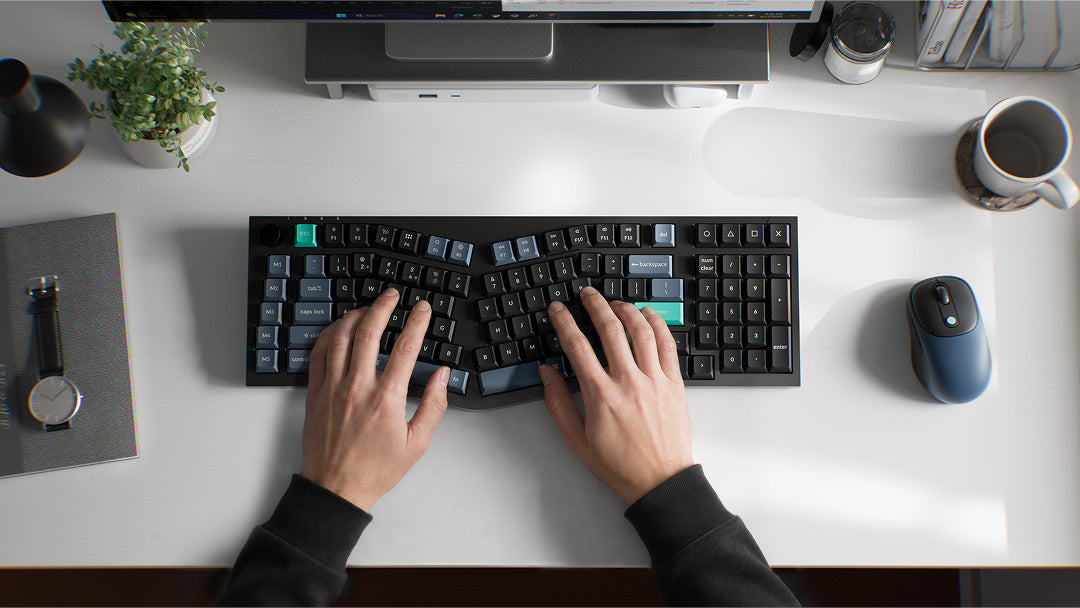
A full-featured ergonomic office keyboard without the bulk of a traditional full-size keyboard. Its Alice layout reduces reaching and twisting, helping keep your fingers, wrists, and shoulders in a more natural position for comfortable, effortless typing throughout the workday.

SPACE EFFICIENCY
96% Layout — Dedicated Numpad
A near-full-size layout with a dedicated numeric keypad, providing a familiar typing experience with all the essential keys you need. The 96% layout keeps the functionality of a full-size keyboard while offering a clean, streamlined arrangement.
CONNECTIVITY
Tri-Mode Connectivity
Enjoy excellent performance with the B39's 2.4 GHz wireless connection, featuring a swift 1000 Hz polling rate for a cable-free and tidy setup. Effortlessly switch between devices using Bluetooth 5.2, enabling smooth multitasking. Wired (USB-C) – for a stable, plug-and-play connection and charging at the same time.


Productivity
M1-M5 Macro Keys
Five dedicated macro keys (M1-M5) let you assign custom shortcuts, text snippets, app launches, or complex command sequences. Configure them easily via the Keychron Launcher to automate repetitive tasks and boost your daily workflow.
TYPING EXPERIENCE
Quiet, Comfortable Typing
The B39 scissor-switch keys feature an extended key travel for a more substantial typing feel. Each keystroke remains stable and responsive, with the refined low-noise feedback you'd expect from precision scissor-switches — giving you the comfort of a mechanical-like experience in a sleek, quiet package.


Long-Lasting Power
500 Hours of Battery Life
The B39 comes with an 800 mAh battery, delivering up to 500 hours of battery life in 2.4 GHz wireless mode. Charge via USB-C and stay productive without worrying about frequent recharging.
launcher web app
AI-enabled Keychron Launcher
Using the Keychron Launcher web app, you can easily remap keys and customize macros, shortcuts, and key combinations to boost your work efficiency. Take full command of your keyboard and elevate your productivity to new heights.
Thanks to the built‑in AI assistant, keyboard customization has never been simpler. Just state your requirements in plain language, and the assistant will guide you to the correct settings and configurations.


Anytime, Anywhere Access
Keychron Launcher is a web page configurator that you can use in the office, school, lab, or government department—anywhere with internet access. Configure your keyboard online anytime without the need to download or install files. No hassle, no trouble.

Compatible with All Platforms
As a web-based tool, Keychron Launcher supports all operating systems. Personalize and program your keyboard on Windows, macOS, Linux, and more. Enjoy unprecedented flexibility with compatibility across Chrome, Edge, and Opera browsers.

Always Up to Date
Keychron Launcher is continuously updated, ensuring you always have access to the latest version. There's no need to download updates or wait for installations.
Mac & Windows
Native Mac layout with full Windows compatibility. Simply flip the physical system switch to seamlessly switch between Mac and Windows modes, keeping your keyboard experience familiar on either system.


Versatile Knob Control
The knob lets you quickly adjust volume, brightness, or zoom — whatever you need. Customize its function in the Keychron Launcher to match your workflow perfectly.
Adjustable feet
The easily adjustable angles (6.5º/ 9º) bring out the best typing experience to provide long-lasting ergonomic support for your wrist. The slightly taller keycaps helps prevent wobbling and reducing fatigue even during long typing sessions.


Convenient Shortcut Keys
The B39 is designed with user-friendly shortcut functionality, allowing you to easily switch between multimedia controls (like volume, play/pause, and brightness) and standard function keys (F1–F12). By pressing Fn + X + L for three seconds, you can seamlessly toggle between these two modes.
Guide
What's in the box?
Keyboard
1×Fully AssembledKeyboard
Cable
1×Type-C Cable
Accessories
1×2.4 GHz Wireless Receiver
Specs
125 Hz (Bluetooth)

Need Help Choosing?
Find your perfect match. Filter by layout, switches, or connectivity to get your ideal setup.

Compare All Series
Select and compare models to see key differences in specs, features, and pricing side-by-side.
