





















































Keychron B40 Wireless Keyboard
Keychron B40 Wireless Keyboard - Deep Black is backordered and will ship as soon as it is back in stock.
Keychron B40: 75% Alice layout, quiet scissor keys, tri-mode connectivity, and 520-hour battery in 2.4 GHz mode.

Keychron B40 Wireless Keyboard - Deep Black is backordered and will ship as soon as it is back in stock.

Customise
Keychron B40
The B40 is a professional ergonomic wireless keyboard designed for long-time office users. Its 75% Alice layout keeps your hands in a natural typing position, while a scissor-key mechanism delivers quiet, comfortable keystrokes. Customizable macro keys and tri-mode connectivity round out the setup, so your workflow stays smooth and your desk stays clutter-free.
Essence


DESIGN
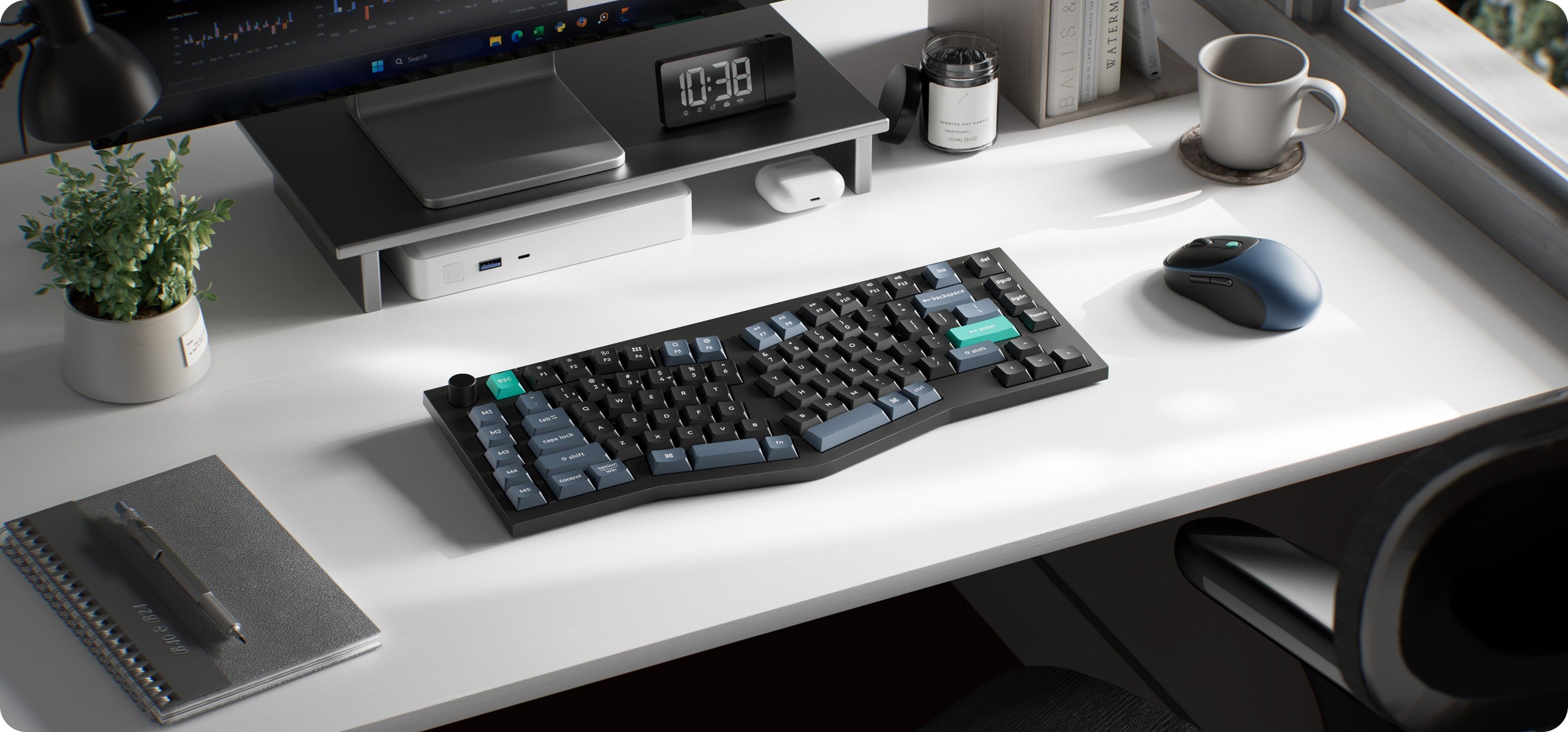
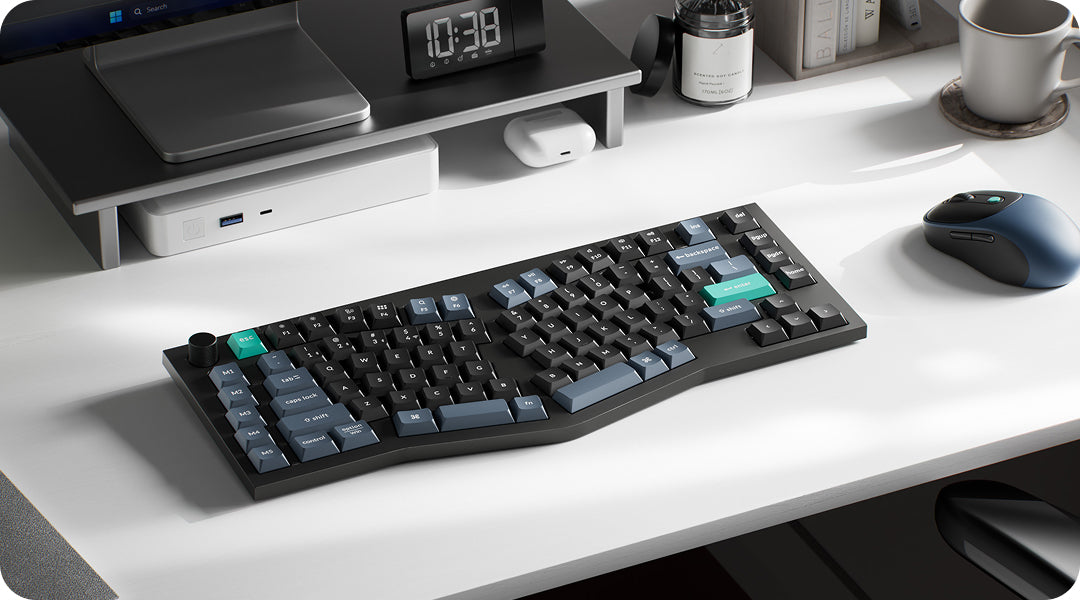
Made for Modern Work
Deep Black brings a clean, understated look to any workspace, from the office to your home desk.
CONNECTIVITY
Tri-Mode Connectivity
Connect over 2.4 GHz, Bluetooth 5.2, or USB-C. Bluetooth can hold up to 3 devices at once, so you just pick the one you want. The keyboard comes with a 2.4 GHz receiver that tucks into a slot on the body, so you don't have to worry about losing it on the move.


Up to 520 Hours
Charge Less, Type More
The 800 mAh battery lasts up to 520 hours on a single charge in 2.4 GHz mode, so you can work for weeks without recharging. Charge via USB-C when you need to and get back to work.
AI LAUNCHER
Customize with AI
Keychron Launcher runs in your browser, no install needed. Remap keys, create macros, set up shortcuts or key combinations, adjust the polling rate, and configure M1-M5 all in one place. The AI assistant is right there too: describe what you want and it points you to the right setting.


Anytime, Anywhere Access
Keychron Launcher is a web page configurator that you can use in the office, school, lab, or government department—anywhere with internet access. Configure your keyboard online anytime without the need to download or install files. No hassle, no trouble.

Compatible with All Platforms
As a web-based tool, Keychron Launcher supports all operating systems. Personalize and program your keyboard on Windows, macOS, Linux, and more. Enjoy unprecedented flexibility with compatibility across Chrome, Edge, and Opera browsers.

Always Up to Date
Keychron Launcher is continuously updated, ensuring you always have access to the latest version. There's no need to download updates or wait for installations.
TYPING EXPERIENCE
Quiet, Comfortable Typing
The B40's scissor keys are 59% taller than standard scissor keycaps, so every press feels deeper and fuller while staying stable and quiet. The keys are fixed and not hot-swappable. The Alice layout keeps your hands in a natural angle, reducing strain during long typing sessions.


Productivity
M1-M5 Macro Keys
Assign shortcuts, text snippets, app launches, and more to five dedicated macro keys for a smoother workflow.
Designed for all-day comfort
Alice Ergonomic Layout
The Alice layout cuts down reaching and twisting, so your fingers, wrists, and shoulders stay closer to their natural position. It is comfort designed around how you actually work. Dropping the number pad also gives your mouse more room, which suits coding, design, and everyday use.


Control
Control at a Turn
Adjust volume, brightness, zoom, and more with the customizable knob. Set it up in Keychron Launcher to fit the way you work.
Mac & Windows
Work Your Way
Native Mac layout with full Windows compatibility. Flip the physical switch to move between systems seamlessly, without going into settings.


function
Convenient Shortcut Keys
The B40 lets you switch between multimedia controls (volume, play/pause, brightness) and standard F1-F12 function keys. Hold Fn + X + L for three seconds to toggle between the two modes.
Find Your Angle
Ergonomic Support
Two adjustable angles (6.5° / 9°) let you find a position that supports your wrists through long sessions. The slightly taller keycaps also reduce wobble and help keep fatigue down during extended typing.

Guide
What's in the box?
Keyboard: 1×Alice Layout Keyboard
Cable: 1×Type-C Cable
Receiver: 1×2.4 GHz Receiver
125 Hz (Bluetooth)

Need Help Choosing?
Find your perfect match. Filter by layout, switches, or connectivity to get your ideal setup.

Compare All Series
Select and compare models to see key differences in specs, features, and pricing side-by-side.
