


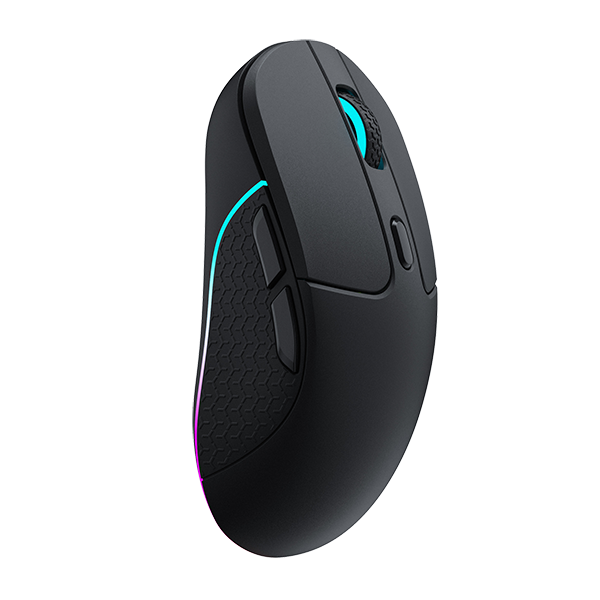

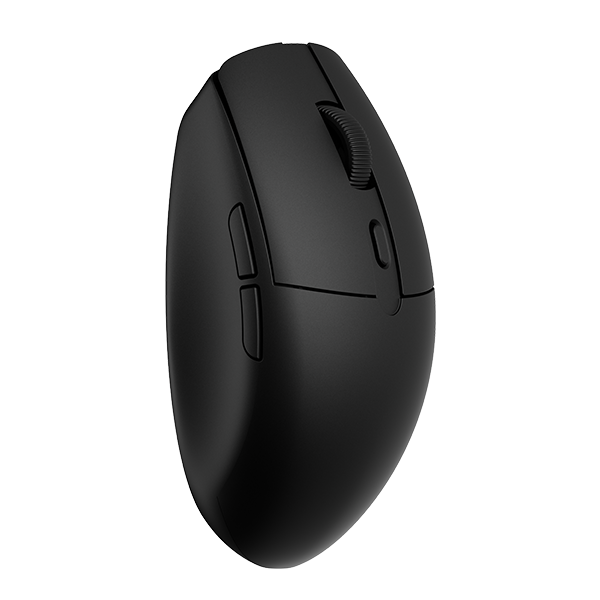




















Adjustable actuation sets how far a mouse button has to travel before a click registers. Rapid Trigger sets how far that button needs to come back before it can accept the next click. Both settings can help in FPS games. Their effects depend on how you hold and click the mouse; Actuation point explains that travel side.

How Adjustable Actuation Changes Click Feel and FPS Input
The actuation point is the depth at which a press counts as a click. A shallower setting shortens the distance before that happens. A deeper setting adds some distance and makes the click feel more distinct.
That difference shows up in how you press. A shallow setting lets a short press register quickly. If your finger is already resting on the button, small movements may also register sooner. A deeper setting can make a shot feel more deliberate because your finger has more room to rest without clicking. Some players notice that extra travel as a pause. Others find it helps them avoid firing before their crosshair is on target.
In FPS play, a quick flick and click may feel more direct with shorter travel. A careful hold or controlled single shot may benefit from a deeper setting. It leaves more room between resting pressure and a click. Neither setting fixes a late flick, an incomplete stop, or a crosshair that is still moving. Those problems belong to aim and hand control.
A click that fires before you meant to press is an input you didn't intend to make. A useful actuation point responds when you mean to click. It also leaves enough margin for your grip.
How Rapid Trigger Changes Stops and Repeat Clicks
Rapid Trigger changes when a button can accept another click. A conventional button generally waits to reach a fixed release position on the way up. Rapid Trigger instead rearms the button once it has returned far enough from the press. You can set that return distance in Keychron Launcher.
During a quick stop, your hand slows the mouse while you decide whether to fire. With Rapid Trigger, the button can rearm before a full return to a fixed point. If your aim shifts and you decide to shoot again, the mouse can accept the click sooner. The stop itself still depends on your hand. Mouse shape, weight, glide, and sensor tracking determine whether the crosshair settles on target.
Repeated semi-auto or rapid single clicks expose the reset behavior more clearly. The press-and-release rhythm can become shorter when the button rearms earlier on the return path. You still need to release and press again, but your finger has less distance to repeat. A more compact rhythm can be easier to sustain. Rapid Trigger does not change the game's fire-rate limit.
Your release still has to be clean. A quick reset cannot turn a loose rhythm into a repeatable one. If finger pressure turns a partial return into a click, the extra readiness can feel less predictable during a longer fight.
How Different FPS Actions Change the Setting You Need
The same mouse may need to handle several kinds of clicking.
In a tactical shooter, a careful hold and a controlled first shot matter more than a fast sequence. A deeper actuation point lets your finger rest while you wait. Rapid Trigger can still help with repeated shots if your rhythm stays stable.
In a faster game with more short-range movement and repeated clicks, a shorter return may become more noticeable. Shallow actuation and quicker reset can keep quick presses responsive. Your finger still needs enough margin to stop firing when the crosshair leaves the target. The setting should feel agile without clicking under a resting finger.
Mixed play puts both demands on the same mouse. Short tests can make a shallow setting feel sharp because it responds so easily. Over a longer session, that sensitivity may cause more unwanted clicks or make it harder to rest your finger. Keep your usual aim routine and test a deliberate hold, a quick flick, and repeated clicks. Start near the middle. Adjust one setting or one button at a time. A test that only checks click speed may lead you to a setting you cannot control.
When a Responsive Click Goes Too Far
An unintended click can happen during a single press, when your hand rests on the button, or when your fingers shift during tracking. Shallow actuation shortens the distance between those movements and a click. An earlier reset shortens the gap between one press and the next. A stable hand can make that quicker response feel clean. Varying finger pressure can make the same setting feel less predictable.
Your hand is rarely completely still on the mouse. A stop or a long tracking movement can change your grip even when the mouse looks steady. A firm squeeze, heavy resting pressure, or a small finger shift can use up the margin left by a shallow setting. Keychron recommends starting with a moderate setting and adjusting from there to suit your grip.
Changing the setting also means changing a habit. If you usually press and release with more force, an earlier reset may catch your finger sooner than expected. You might click more easily during the first session but find your shot timing less consistent. That is an adjustment period, not an automatic improvement in aim.
If a shallow setting adds a click during tracking, fires while your finger rests, or makes repeated shots harder to predict, a deeper actuation point restores control. A cleaner stop and a well-timed shot are more useful than a click that arrives before you are ready.
How to Find a Setting You Can Control
Use your normal aim routine to judge the button. Start with a moderate actuation point and a modest Rapid Trigger setting. Try a deliberate stop and single shot, then a quick flick into a target. Add a sequence of repeat clicks. Check that you can stop firing when your aim leaves the target. If the mouse clicks while you are only moving or holding the button, go one step deeper. If a deliberate press feels late, go one step shallower. The left and right buttons can be adjusted independently if your fingers press differently. For help with the controls, see the G6 HE Launcher guide.
A useful setting lets a deliberate stop, a single shot, and controlled repeated clicks live together. A shallower actuation point and a quicker reset can make those actions feel more direct. You still need to choose when to fire.