


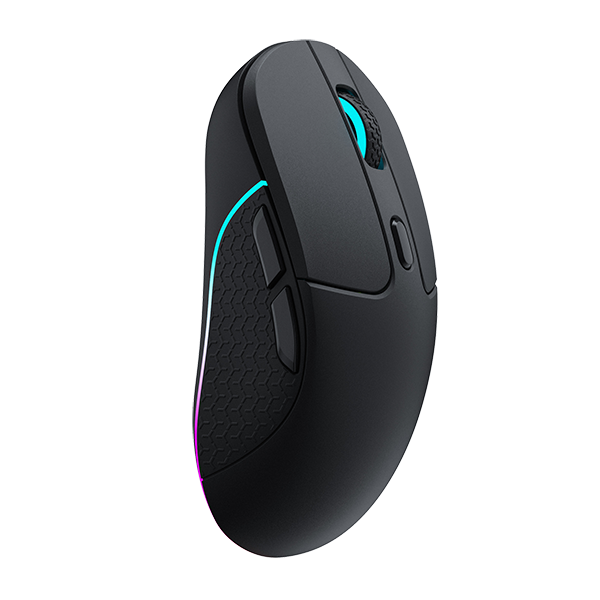

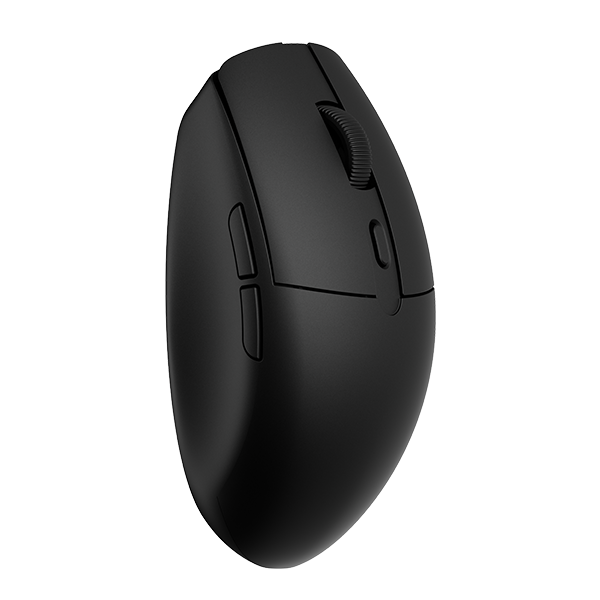




















A Hall Effect (HE) mouse can be worth choosing for FPS if you want more control over when a click fires and when the button can accept the next one. It cannot improve your aim on its own. Your mouse movement, grip and practice still determine how the crosshair reaches a target and settles there. The useful question is therefore not whether HE is faster in general, but whether the button side of your input is the part that limits you.

Your HE Mouse Controls the Click, Not the Aim
Flicks, stops and micro-adjustments are movement tasks. A flick sends the crosshair toward a target. A stop brings that movement to rest, and a micro-adjustment is the smaller correction that follows. Sensor behavior, mouse shape, balance, glide, sensitivity, grip and practice all affect how well those movements work.
A click happens after the movement, but it is a separate input. HE buttons can adjust how far you press before that click registers and how soon the button can accept another click after release; compatible firmware determines whether those controls are available. None of that changes the path of the crosshair. A fixed optical trigger gives the click a consistent response, while supported HE buttons add control over those two button-side settings.
That distinction is what matters when you choose a mouse. HE can affect when a shot begins and how soon another click can follow. It does not improve how accurately or consistently you move the mouse to the target. If the crosshair arrives late or will not settle, changing the switch will not correct the movement that caused it.
What HE Buttons Can Change for FPS
On a Hall Effect mouse with adjustable actuation, you can make the button activate earlier in the downward press or require more travel before it fires. A shallower setting may suit a light, quick click and a deeper setting may work better if your finger rests heavily or shifts during tracking. Keychron describes shallow settings as speed-oriented and deeper settings as helping reduce unintended clicks.
With Rapid Trigger, the button resets according to its return movement rather than waiting to pass a fixed reset point. Keychron associates that behavior with quick repeated presses and semi-auto clicks. In FPS play, the effect is easiest to notice when you already release and re-press the button in a consistent rhythm. The button can become ready sooner and your finger still has to make a controlled second click.
That is the useful benefit: less of the repeated-click cycle is spent waiting for the button to become available again. It does not raise a weapon's fire-rate cap or promise a well-timed shot. A faster button only gives your finger an earlier opportunity to act and you still have to decide when to fire.
Which FPS Problems HE Cannot Fix
If a flick ends off target, the route of the mouse is the issue. HE cannot correct that path. A shallower button press may change whether a click registers at the end of the flick, but it does not put the crosshair on the target. Tracking, sensitivity, hand movement, and practice matter most.
Stopping is also a movement task. Shape, weight, balance, glide, sensor behavior, sensitivity, and technique determine how quickly and consistently the crosshair settles. A faster button reset cannot brake the mouse. Likewise, a responsive click will not stop shake or overshoot during a micro-adjustment.
These features do not change the entire input path, either. Button behavior is only one part of what happens between your click and the result on screen. Sensor reports, the polling rate, computer performance, display, game, and network all remain part of the chain. Keychron's polling-rate guidance notes that higher rates send more frequent updates, but how much that helps depends on the rest of the system.
G6 HE's click latency figures are specific to that mouse and its tested configurations. Keychron reports 0.382 ms average click latency over 2.4 GHz wireless 8K and 0.188 ms in wired 8K mode, measured with professional latency-testing equipment. Those figures do not establish a universal HE advantage, eliminate total aim-to-display delay, or prove that button sensing improves tracking or player skill.
How to Tell If You Need an HE Mouse
Keychron does not set an official skill level for HE. Decide from the feedback you already get from your mouse. If you play games with frequent semi-auto fire, quick taps, or single-shot bursts, and your current mouse leaves you waiting on its release, HE addresses that. If you already adjust to subtle switch feel, a shallower or deeper actuation point may be worth exploring.
You may notice less difference if click depth and reset speed are not limits you feel. Enjoying the mouse is still possible; the FPS benefit just is not automatic. If unstable flicks or shaky micro-adjustments are your main problem, fix mouse fit, sensitivity, tracking, and practice first. A new trigger point also takes some adjusting while your timing catches up. The practical setting guide covers how to test it.
Is a Fixed Optical Trigger Still Enough for FPS?
For many players, yes. Keychron's MagOptic comparison describes optical triggering as a mature, reliable choice that works without tuning. A fixed trigger point gives the same click every time and leaves you nothing to set, which many casual and competitive players prefer.
It only becomes a limitation when activation or reset does not fit how you press. A shallow click for quick taps, more margin for heavy fingers, or an earlier reset for a steady semi-auto cadence is where an adjustable HE button fits. If your main concern is shape or tracking, HE will not help.
Do You Need an HE Mouse for FPS?
Only if the button side of your input is what you want to change. A mouse that fits your hand and tracks reliably matters most. Refine your aim, then decide whether you want to tune activation depth and reset. If your current mouse already supports your flicks, stops, and micro-adjustments, a fixed optical trigger can still be a sensible choice. An HE mouse is a button-level option worth choosing for a specific reason.
Image credit: Image courtesy of wolnego.co on Instagram.