
























IN THIS ARTICLE
- Quick picks: the best keyboards for writers at a glance
- Comfort at hour three: switch feel and board height
- Quiet enough to share a room
- A layout for revising
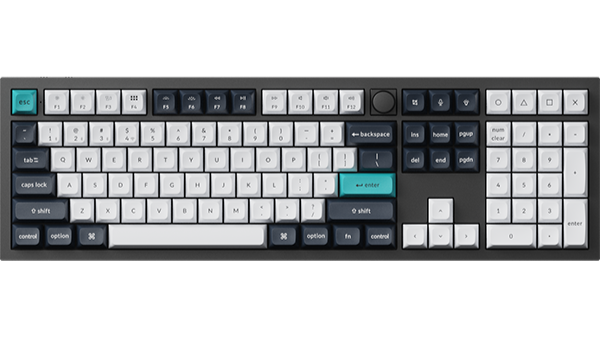
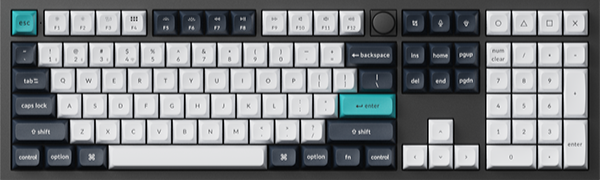
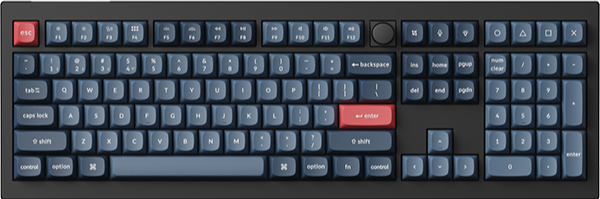
- Keychron Q6 Max: Best for a number pad and dedicated editing keys
- Keychron Q3 Ultra 8K: Best for dedicated editing keys without a number pad
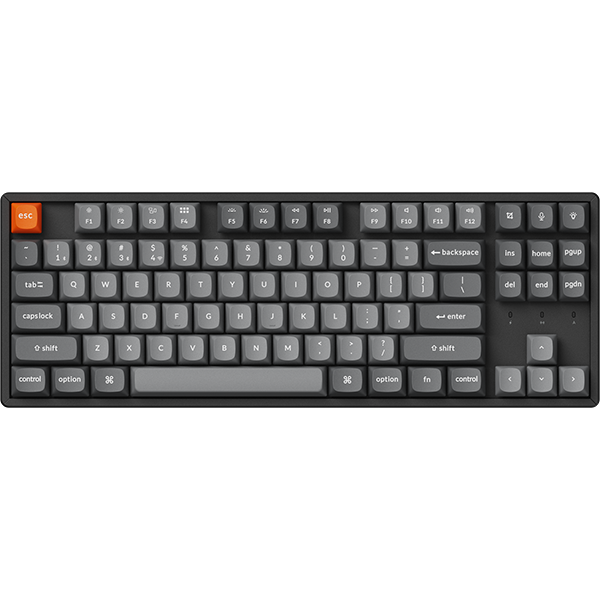
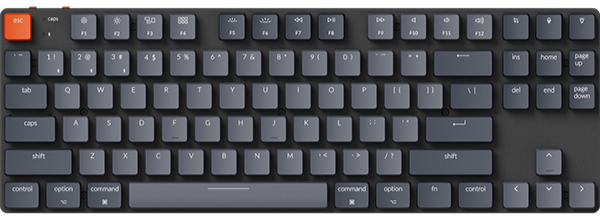
- Keychron K3 Max: Best for a low-profile 75% layout
- Which one is the best for you
- Frequently asked questions
If you write for hours, judge a keyboard on three things: how it feels in the third hour, how much sound it makes in a shared room, and where the editing keys sit when you revise. We picked three Keychron boards with those checks in mind. The best one for you depends on whether you use a number pad, how wide your desk is, and how tall you like a keyboard to sit. Who shares the room decides the switch.
Key takeaways
- Number pad and editing keys: the Q6 Max is worth it if you want both and have about 45 cm of desk for it.
- Editing keys on a narrower desk: the Q3 Ultra 8K keeps the same six editing keys in 365 mm.
- Coming from a laptop: the K3 Max is a low-profile board, 17 mm tall at the front with its keycaps on.
- Shared room: skip Low Profile Gateron Mechanical Blue on the K3 Max, the clicky option here. For a quieter setup, choose a silent switch set compatible with your exact keyboard and configuration.
Quick picks: the best keyboards for writers at a glance
| Pick | Best for | Layout and width | Switch options | Connection |
|---|---|---|---|---|
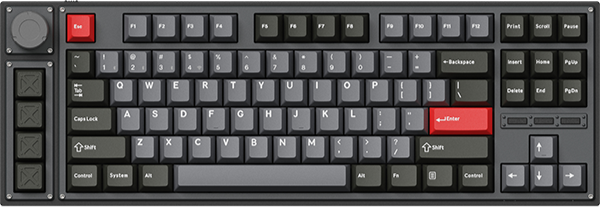
| Q6 Max | A number pad plus dedicated editing keys | 100% full size with knob, 446 mm | Gateron Jupiter Red, Brown, or Banana | 2.4 GHz, Bluetooth, or cable |
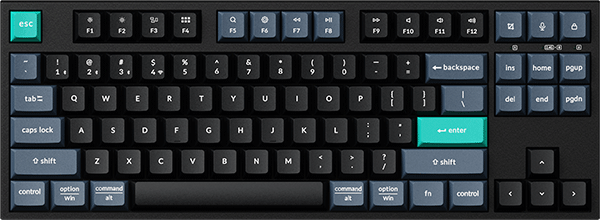
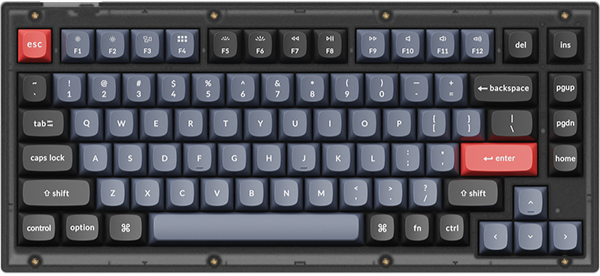
| Q3 Ultra 8K | Dedicated editing keys, no number pad | 80% TKL with knob, 365 mm | Keychron Silk POM Switch Red, Brown, or Banana | 2.4 GHz, Bluetooth, or cable |
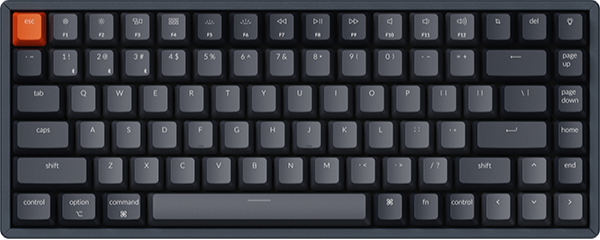
| K3 Max | A low-profile board | 75% low-profile, 306 mm | Low Profile Gateron Mechanical Red, Blue, Brown, or Banana, or Low Profile Keychron Mechanical Red | 2.4 GHz, Bluetooth, or cable |
Each one pairs with up to three devices over Bluetooth, so the machine you draft on and the one you edit on can share a keyboard.
Before you choose, measure the free width where the keyboard will sit, leaving your mouse in its usual spot. You need about 45 cm for the Q6 Max, 37 cm for the Q3 Ultra 8K, and 31 cm for the K3 Max.
Comfort at hour three: switch feel and board height
For long sessions, check two things: how the switch under each key responds, and how high the keys sit above the desk.
Start with the switch. All three boards offer a Red and a Brown option:
- Red: a linear switch. The press is smooth from top to bottom, with no bump.
- Brown: on the Q6 Max and Q3 Ultra 8K, a tactile switch with a bump on the way down. Both boards also offer Banana, which gives an earlier and stronger bump than Brown.
On those two boards, Red has an operation force of 45±15 gf and Brown 55±15 gf, so Red is nominally the lighter press. Many all-day typists prefer tactile, and many others prefer linear. Our guide to switch types covers each family in more detail.

What changes in daily use
The K3 Max is 17 mm tall at the front with its keycaps on, and it has three levels of typing angle: 2.5°, 4.2°, and 6.5°. The Q6 Max is 20.1 mm at the front before the keycaps go on, and the Q3 Ultra 8K is 20.6 mm. The angle is 5.2° on the Q6 Max and 5.3° on the Q3 Ultra 8K.
Those two use a gasket mount. On the Q6 Max, the gaskets can help reduce vibration and give a cushioned typing feel. On the Q3 Ultra 8K, the latex bottom pad does the same job.
Worth it if you type for hours and want a bump on each press: choose Brown. Skip it if you like a smooth press: choose Red.
Quiet enough to share a room
A mechanical keyboard makes some sound on every press. The sound depends on the whole keyboard, the switch and the case together. So there are two things to check.
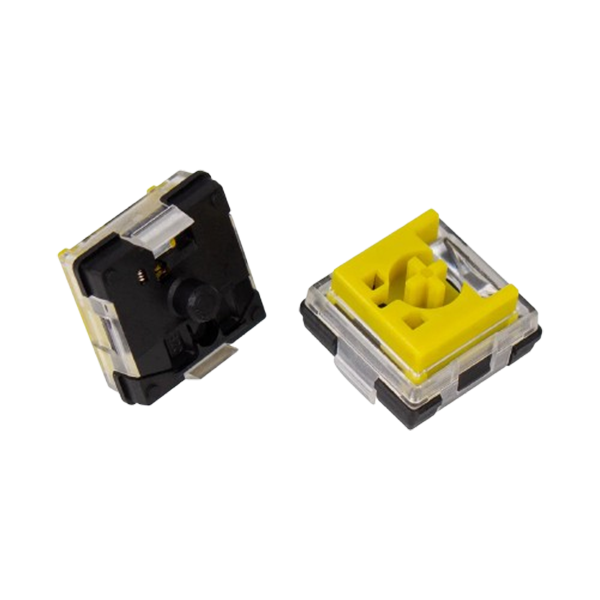
The first is the switch. A clicky switch adds an audible click to every press. Low Profile Gateron Mechanical Blue on the K3 Max is a clicky switch. Leave it for a room of your own.
The second is the case. The Q6 Max and Q3 Ultra 8K use a double-gasket design, where silicone pads between the top and bottom cases reduce resonance between the metal parts. Their foam layers can help dampen echo. The K3 Max has IXPE acoustic foam and latex foam inside.
What changes in daily use
If you write late at night next to someone asleep, a silent switch set is the next step. The Q6 Max and Q3 Ultra 8K take almost all 3-pin and 5-pin MX style switches, such as the Keychron Silent K Pro Switch. For the K3 Max, the matching set is the Keychron Low Profile Silent Switch, listed for K3 Max configurations with low-profile Gateron mechanical switches. Check that your exact configuration is marked (Hot-swappable) before buying if you want to swap switches without soldering.
One r/keyboards user who keeps a Q6 Max at home said, "If you’re gonna use one in an office, get some silent switches."
Worth it if you share a bedroom, a study, or an open office. Skip it if you write alone: Red and Brown have no click to begin with.
A layout for revising
If you jump to the start of a line with Home, select to the end with Shift and End, or page through a chapter, check where those keys sit before you buy.
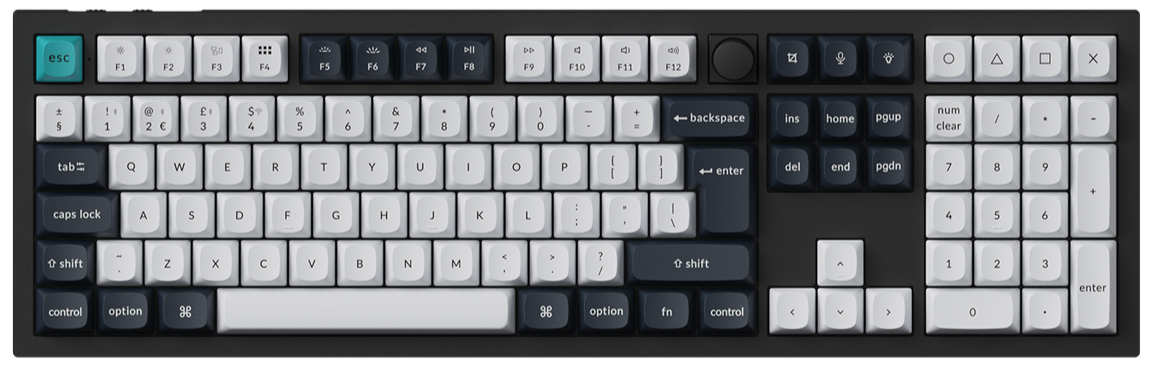
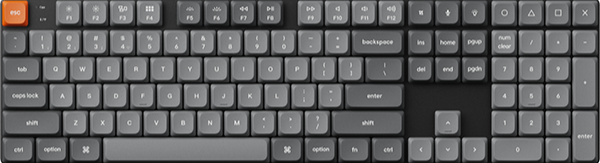
- Q6 Max and Q3 Ultra 8K: dedicated Insert, Home, Page Up, Delete, End, and Page Down keys in a block above the arrow keys.
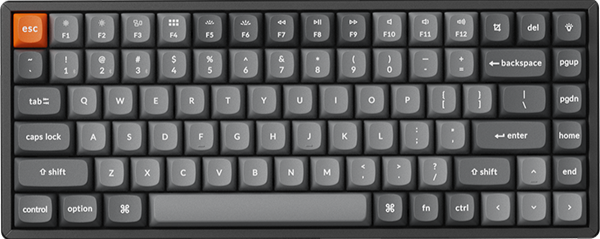
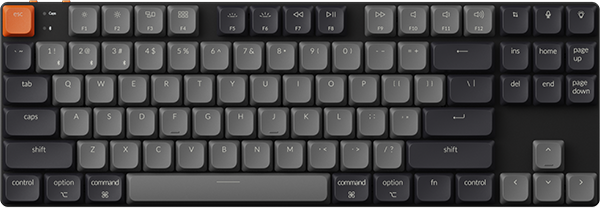
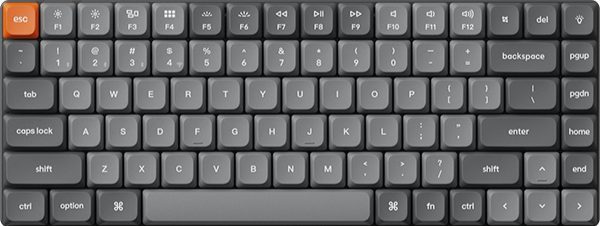
- K3 Max: a Delete key in the top row, then Page Up, Page Down, Home, and End in a column on the right edge, with the arrow keys below. It has no dedicated Insert key.
- Number pad: only the Q6 Max has one.

What changes in daily use
Width decides how far your mouse sits from the letter keys. At 365 mm, the Q3 Ultra 8K is 81 mm narrower than the Q6 Max, about the width of four keys. The K3 Max is narrower again, at 306 mm.
Worth it if you want an Insert key and the six-key block above the arrows: choose the Q6 Max or the Q3 Ultra 8K. Skip it if a column on the right edge works for you: the K3 Max has dedicated Delete, Page Up, Page Down, Home, and End keys in less width.
Keychron Q6 Max: Best for a number pad and dedicated editing keys
View the Q6 Max on keychron.com →
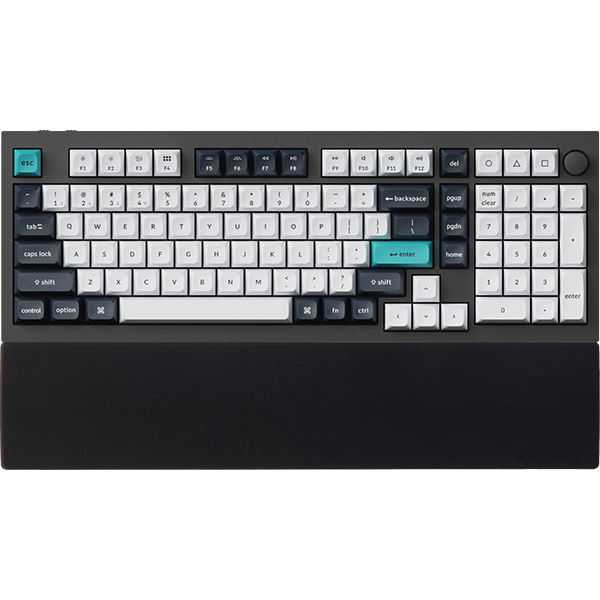
The Q6 Max is a 100% full-size board with a knob. You get the six-key editing block, the arrow keys, and a number pad for dates, word counts, and invoices. The aluminum body is 446 mm wide and weighs 2184 g ± 10 g as the Fully Assembled version.

It connects over a 2.4 GHz receiver, Bluetooth, or a cable, and the battery is rated for up to 180 hours with the backlight off. A system toggle and extra keycaps cover macOS and Windows.
Pick: Fully Assembled Knob in Carbon Black or Shell White, with Gateron Jupiter Brown for a tactile bump or Gateron Jupiter Red for a linear press. If you touch-type and want a clean top, Fully Assembled Knob (Side-Printed Keycaps) in Shell White prints the legends on the side of each key.
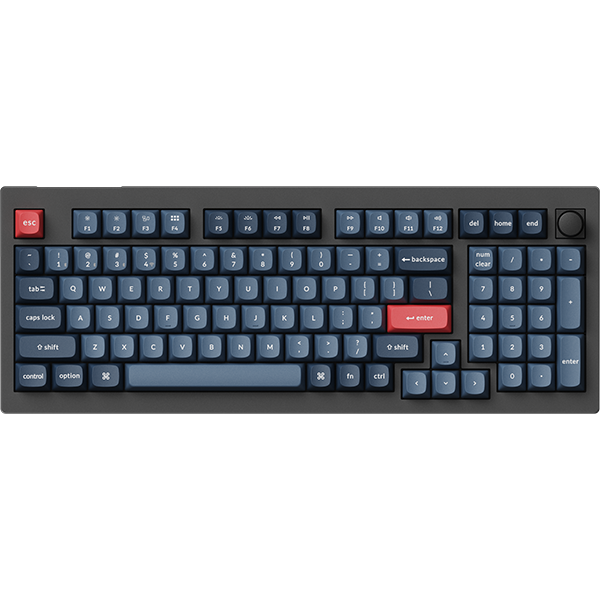
If 446 mm is more than your desk allows, the Q5 Max from the same Q Max line has a 96% layout and is 408 mm wide.
Keychron Q3 Ultra 8K: Best for dedicated editing keys without a number pad
View the Q3 Ultra 8K on keychron.com →
Take the number pad off a full-size board and you get the Q3 Ultra 8K, an 80% TKL board with a knob. It has the same six editing keys and arrow keys as the Q6 Max. The aluminum body is 365 mm wide and weighs 1787 g ± 10 g.

The battery is the number that stands out: up to 660 hours with the backlight off, or up to 200 hours with RGB at the lowest brightness. The pre-lubed Keychron Silk POM switches are hot-swappable, and a system toggle with extra keycaps covers macOS and Windows.
One r/Keychron owner who started with another Q board wrote, "I liked it so much that I bought a Q3 Ultra (White + Keychron Silk POM Banana Switches) a couple of months later to use at work."
Pick: Fully Assembled Knob in Black or White, with Keychron Silk POM Switch - Brown for a tactile bump or Keychron Silk POM Switch - Red for a linear press.
Keychron K3 Max: Best for a low-profile 75% layout
View the K3 Max on keychron.com →
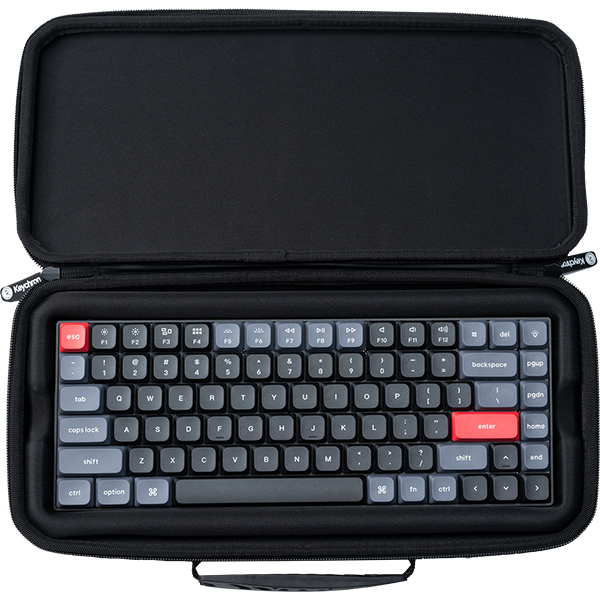
With 84 keys in a low-profile 75% layout, the K3 Max is the low board of the three. Its low-profile Gateron switch is 31% slimmer than conventional normal-profile switches, and the board is 17 mm tall at the front with keycaps on. If you have written on a laptop for years and like your hands low, start here.

At 306 x 116 mm and 525 g, it is the smallest and lightest of the three picks. The battery lasts around 73 hours with the backlight off, a lab test figure. Keycaps for both macOS and Windows are in the box.
Another r/Keychron owner put it briefly: "I use K3 Max for my mac as a daily driver. Excellent keyboard."
Pick: Black with RGB Backlight (Hot-swappable) and Low Profile Gateron Mechanical Brown or Red. A version marked (Hot-swappable) lets you change switches later. For a lighter look, choose White Gray with White Backlight and Low Profile Gateron Mechanical Brown. That version is not hot-swappable.
Which one is the best for you
- You write and revise at one desk, and you type numbers: the Q6 Max.
- You revise a lot and want your mouse closer: the Q3 Ultra 8K.
- You are moving from a laptop keyboard, or you carry your keyboard: the K3 Max.
When you want a key to do something else, open Keychron Launcher in the latest Chrome, Opera, or Edge with the keyboard connected by cable. It is a web app, so there is nothing to download or install. If none of these layouts fits, the Keyboard Finder filters our boards by layout and connection.
Frequently asked questions
Are mechanical keyboards better for writers?
They give you choices a laptop keyboard does not: the type of switch, the layout, and on hot-swappable boards, the option to change switches later. Whether that is better depends on your hands. If you like a low board, the K3 Max is 17 mm at the front with keycaps on.
What is the quietest keyboard for writing at night?
Choose a board with sound-dampening layers inside, avoid clicky switches, and fit a silent switch set if you need less sound. That can be the Keychron Silent K Pro Switch on the Q6 Max and Q3 Ultra 8K, or the Keychron Low Profile Silent Switch on a K3 Max configuration with low-profile Gateron mechanical switches and a (Hot-swappable) label.
How do I know which switch I will like before buying?
Try them side by side. The Keychron Switch Tester 100 Max Edition comes with 100 switches, 88 mechanical and 12 magnetic, in linear, tactile, and clicky types. Use it to find the type of press you like. Its spec sheet lists every switch in the set, so check there before you buy if you want to try one particular switch. A hot-swappable keyboard is the other safety net: if Brown turns out not to suit you, you change the switches and keep the keyboard.
Shop the gear


References & Citations
- Q6 Max layout, width, weight, front height, double-gasket design, foam layers, hot-swap, connections, battery rating, and version options. (Keychron Q6 Max product page)
- Q3 Ultra 8K layout, width, weight, front height, Keychron Silk POM switches, double-gasket design, connections, and battery rating. (Keychron Q3 Ultra 8K product page)
- K3 Max low-profile dimensions, height with keycaps, typing angles, switch options, acoustic foam, and battery test figure. (Keychron K3 Max product page)
- Gateron Jupiter Red, Brown, and Banana switch types and operation force. (Gateron Jupiter Switch Set product page)
- Keychron Silk POM Red, Brown, and Banana switch types and operation force. (Keychron Silk POM Switch product page)
- Silent MX style switch set and the keyboards it fits. (Keychron Silent K Pro Switch product page)
- Low-profile silent switch set and the keyboards it fits, including K3 Max configurations with low-profile Gateron mechanical switches. (Keychron Low Profile Silent Switch product page)